

Advanced Merge Solution Introduction
Microsoft Dynamics 365 has a standard merging functionality, but it works only with a limited set of entities and fields at a time. To make it possible to merge records according to values of any fields and corresponding to any entity, as well as multiple records at one time the Advanced Merge Solution was created.
In case we have records, which are normally merged via built-in Microsoft Dynamics 365 functionality, the Product’s logic simply employs it. In other situations, when records cannot be processed by the standard MS tool, Advanced Merge Product would be a good alternative.
Advanced merge would be most beneficial to users that have 3 or more of the same record. Using advanced merge will allow users to select a master record and then select what fields will be merged into the master record
Description
After the installation of the advanced merge solution, a new button is added to the ribbon and will display once 3 or more record in a view are selected.

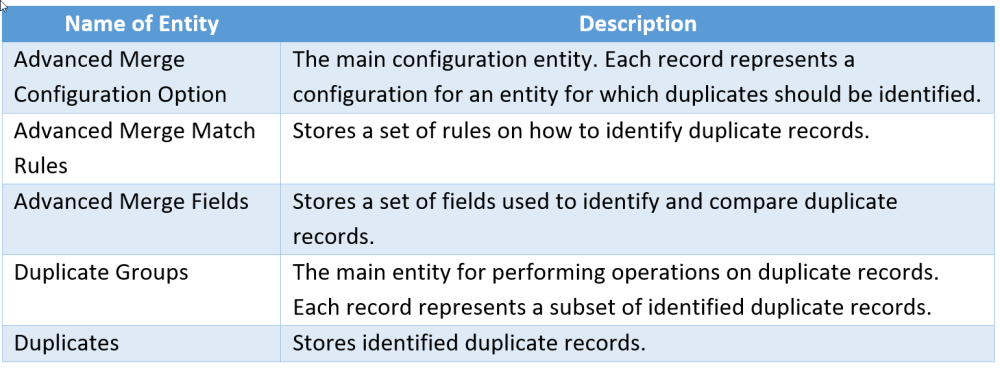
Key Entities for using Advanced Merge
Advanced Merge Process
Contact Entity
Using advance Merge from the Contact entity
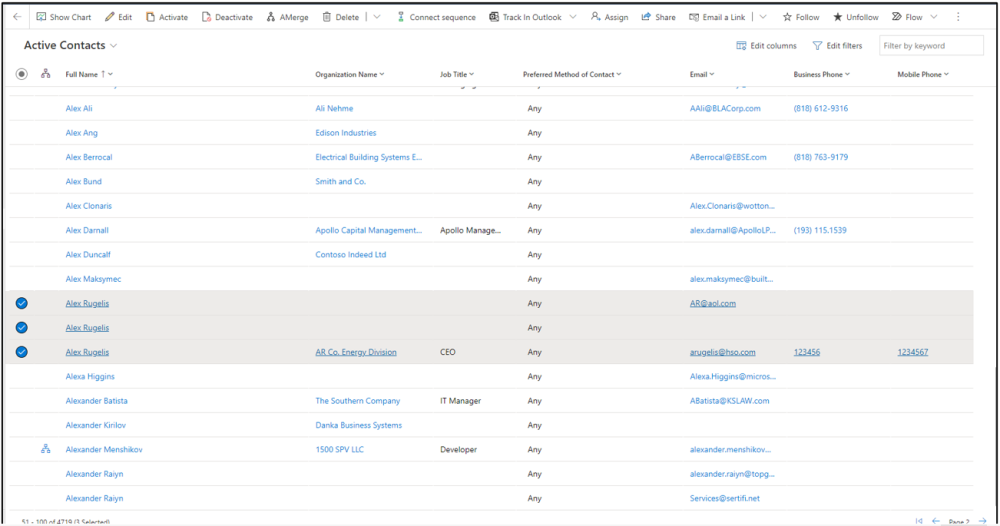
1. Open entity and select 2 or more records that are the same and need to be merged.
2. Click the AMerge icon in the ribbon.
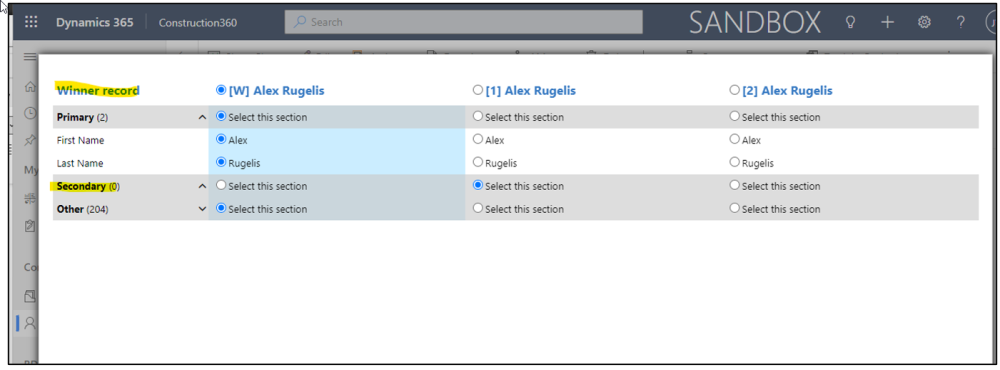
3. From the Merge window users are able to select a Winning record which is technically the Master record that all other record will Merge to.
4. Users can select a secondary record as well. This will indicate the next record the system will look at and merge to the master record.
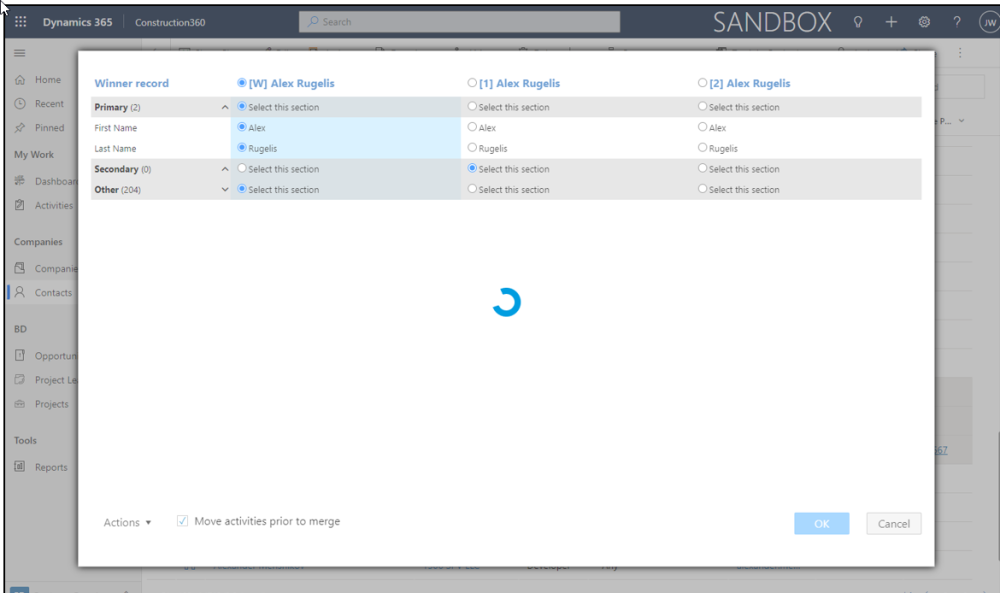
5. Once the order that record should be merged has been selected click OK, Clicking OK will trigger the plugin which could take up to 2 minutes to merge these records.
Please contact kjicha@hso.com if you would like more information on this amazing Advanced Merge solution. Thank you!
Post your comment on this topic.